
Some data loss is safe to handle at home, and some is not, and the difference is not obvious from the outside. This guide, which replaces our four older articles on the subject, gives you one decision: is this a situation where trying costs nothing, or one where trying is the thing that loses the data? It then covers how to do the safe part properly, the home remedies that destroy drives, and how to judge a lab if you need one.
The one question: is the drive healthy?
Every do-it-yourself method assumes the hardware is fine and only the data on it is confused. If that assumption is wrong, the method is harmful, because all of them make the drive work. So the first job is to decide which situation you are in.
| Situation | Try at home? | Why |
|---|---|---|
| Deleted a file or folder; the drive works normally | Yes | Recycle bin, file history, Time Machine, cloud versions, then recovery software from another drive |
| External drive not showing up, no unusual sounds | Yes, the safe checks only | Cable, port, power, and a look in Disk Management or Disk Utility. See the external drive guide |
| Accidental quick format on a hard drive | Carefully | Data is still there. Recovery software from another drive, recovering to another drive |
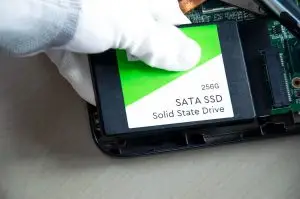
| Accidental format or deletion on an SSD | No | TRIM erases deleted data within hours. Power off and image first; see the TRIM guide |
| Drive is slow, freezes, or disappears and returns | No | A weak head or bad sectors. Scanning finishes it |
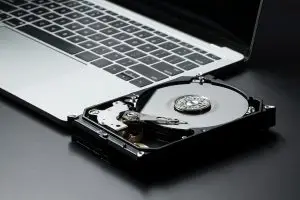
| Clicking, beeping, grinding, or buzzing | No | Mechanical failure. Power off. Every attempt risks the platters |
| Not detected at all, wrong capacity, 0 bytes | No | Firmware or electronics. Lab tools only |
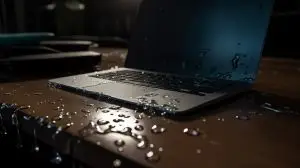
| Dropped, wet, burnt, or after a power surge | No | Physical damage. Powering on is the risk |
| RAID array degraded or offline, NAS not booting | No | One wrong click rebuilds over the data. See the RAID guide |
| Asks to initialize, format, or repair the disk | No, and click cancel | The prompt appears for damaged drives and the action overwrites the structures |
If you are unsure which row you are in, the hard drive failure symptoms guide matches each sound and behaviour to the failure behind it, and the external drive not showing up guide walks through the safe checks in order.
How to do the safe part properly
Deleted files on a healthy drive
- Check the Recycle Bin or Trash, then File History on Windows, Time Machine on a Mac, and version history in any cloud service the folder syncs to. Most deletions end here.
- Stop writing to the drive. Every download, update, and browser session can overwrite the space the file occupied.
- If it is the system drive, shut the computer down and do the recovery from another machine, with the drive attached as a second drive. Recovery software installed on the affected drive can overwrite the very files it is looking for.
- Run the recovery software in read-only mode and recover to a different drive. Never to the source.
- If the software finds the files but they open corrupted, stop. Repeated scans do not improve the result, and the drive may not be as healthy as it looked.
Accidental format on a hard drive
A quick format rewrites the directory and leaves the files in place, so the same rules apply: do not write to the drive, and recover from another machine to another drive. On an SSD the same action triggers TRIM and the files are erased within hours, which is why the table above says no. Our guide to deleted data on SSDs explains the difference.
The image-first habit
Professionals never work on the original drive. They make a complete copy, called an image, and work on that. If you are comfortable with disk tools, the same habit protects you: image the drive to a larger drive first, then run recovery on the image. If the drive is too unhealthy to image cleanly, that is your answer that it is not a home job.
The home remedies that destroy drives
| The remedy | What it actually does |
|---|---|
| The freezer | Condensation on the platters. A head problem becomes a platter problem |
| Tapping, shaking, or dropping it to free stuck heads | Scratches the platters. Stuck heads are freed in a cleanroom with tools |
| Swapping the circuit board from an identical drive | The board’s firmware chip is unique to your drive. Wrong board, damaged heads |
| Opening the drive to look | One speck of dust is a permanent scratch |
| CHKDSK, fsck, or First Aid on a misbehaving drive | Rewrites structures on a drive that may be failing, and runs it for hours |
| Recovery software on a clicking or slow drive | Cannot fix hardware; the scan is the workload that kills the drive |
| Powering it on and off to see if it comes back | Each power cycle on a weak or clicking drive risks the platters |
| Rebuilding or re-creating a RAID array | Overwrites parity or metadata; the most common cause of unrecoverable arrays |
| Drying a wet drive with heat or rice | Corrosion continues; heat drives moisture into connectors |
When to stop and call a lab
- Any sound from the drive that was not there before.
- Any sign the drive is failing rather than confused: slowness, disappearing, wrong capacity, errors in the logs.
- Any physical event: a drop, a spill, a surge, a burnt smell.
- Any SSD with deleted data, where every powered minute erases more.
- Any array, server, or NAS.
- Any drive holding the only copy of something you cannot replace. The cost of the free evaluation is nothing. The cost of a failed home attempt is often the data.
How to judge a data recovery company
If you do need a lab, the field has more shipping fronts and bait pricing than most, and a few questions separate them.
- Is the work done in your own lab, and can I walk in?
- Is the evaluation free, and what do I pay if the recovery fails?
- Do you have a cleanroom and your own engineers for mechanical work?
- Will I see a file list and open sample files before paying?
- Where does my drive physically go, and does my data leave the country?
Our guide to what sets the price of data recovery goes through the tiers and the pricing tricks in detail. Our own answers: the lab is in Langley and you can walk in, the evaluation is free, a failed recovery costs nothing, the cleanroom and engineers are ours, you see the file list first, and nothing leaves Canada.
Frequently asked questions
Can I recover data myself?
Sometimes. Deleted files on a healthy drive, a lost drive letter, a bad cable, or an accidental format on a hard drive can often be handled at home with care. Anything involving a sound, a drive that is not detected, a wrong capacity, a drop, liquid, an SSD that is failing, or a RAID array cannot, and trying makes the professional job harder or impossible.
Is data recovery software safe to use?
On a healthy drive with a logical problem, yes, if you follow two rules: never install it on or recover to the drive you are recovering from, and never run it on a drive that is slow, noisy, or intermittently detected. Software cannot fix hardware, and the hours of scanning are exactly the workload a failing drive cannot survive.
Does the freezer trick work?
No. It dates from drives made decades ago and does nothing for modern heads. What it reliably does is put condensation on the platters, which turns a recoverable head problem into platter damage. It is the single most expensive piece of folk advice in this field.
Can I swap the circuit board from an identical drive?
Not on any drive from the last fifteen years. Each board carries a chip with calibration data unique to that drive. A board from an identical model spins the drive but cannot read it and can damage the heads. A lab moves your chip to the donor board; that is the part that cannot be done at home.
Why is a home-opened drive harder to recover?
Because a hard drive is sealed against dust for a reason. Heads fly a few nanometres above the platters, and a single particle causes a scratch. A drive opened outside a cleanroom needs cleaning and inspection before anything else, the odds drop, and the price goes up.
How do I choose a data recovery company?
Ask whether the work is done in their own lab, whether the evaluation is free, what a failed recovery costs, whether they have a cleanroom, whether you see a file list before paying, and where your drive physically goes. Be wary of advertised starting prices and of storefronts that ship your drive to someone else.
Not sure which row you are in?
Describe what the drive is doing and the free AI evaluation tells you whether it is safe to try at home or time to stop. Free lab evaluation after that, no data no fee.
Instant AI EvaluationHard Drive RecoveryContact Us