Hard Drive Failure Symptoms:
What the Signs Mean
Slow, clicking, not detected, or completely dead? Match your drive to one of the seven failures below, learn what is safe to do at home, and see honest recovery odds before you decide anything.
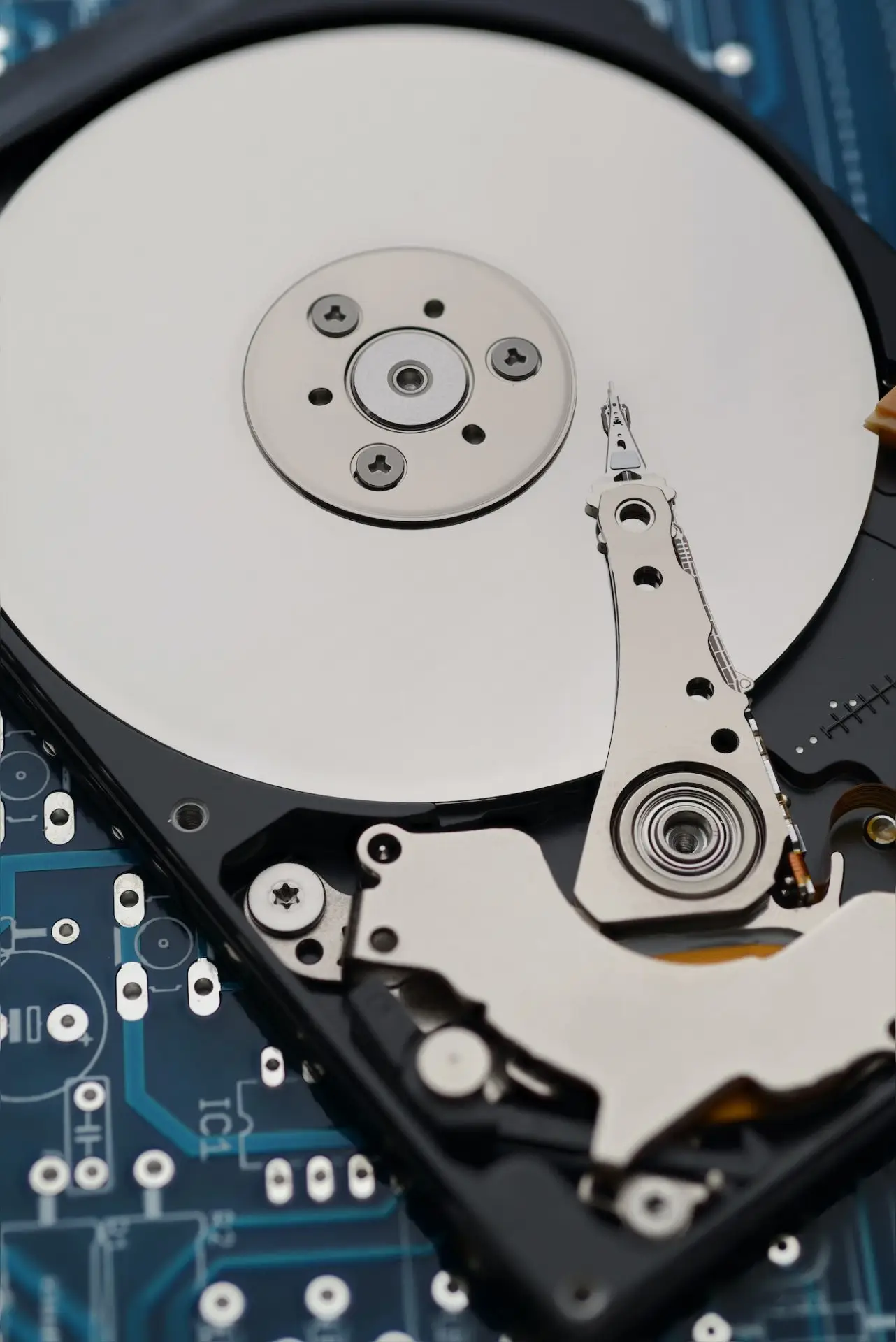
Seven Ways a Hard Drive Fails
Find the row that matches what you see and hear, then jump to the full section. Odds are typical ranges from our own lab, not promises. The free diagnostic gives you the number for your drive.
| Failure | What you notice | Sound | Severity | Typical odds |
|---|---|---|---|---|
| Bad Sectors | Copying files takes far longer than it should, then stalls | Sounds normal | Low | 95 to 100% |
| Firmware Corruption | The drive is detected but shows 0 bytes, 0 GB, or a wrong model name | Sounds normal | Moderate | 95 to 100% |
| Degraded | The drive works for a few minutes, then disappears or freezes | Normal or faint repeated seeking | Moderate | 90 to 95% |
| Electrical Failure | The drive is completely dead: no spin, no light, no sound | Silent, no spin-up | Moderate | 90 to 95% |
| Failed Heads | A steady click or knock every one to two seconds after power-on | Repeating click, knock, or beep | High | 90 to 95% |
| Seized Spindle or Stuck Heads | A low hum or buzz with no spin-up | Low hum, buzz, or a brief whirr that stops | High | 90 to 95% |
| Head Crash and Platter Damage | Scraping, grinding, or a screech on power-on | Scraping, grinding, or screeching | Critical | 0 to 20% |
Symptoms, Safe Steps, and What the Lab Does
Each section is ordered from least to most serious. Many drives move down this list over time, which is why the safe steps matter more than the diagnosis.
Bad Sectors (Media Degradation)
The most common hard drive problem and the one most people live with for months without knowing. Small areas of the platter surface stop reading reliably, and the drive spends more and more time retrying.
Symptoms
- Copying files takes far longer than it should, then stalls
- Some files open, others fail with cyclic redundancy check or I/O errors
- The computer freezes while the drive light stays on
- SMART tools report reallocated or pending sectors
- Windows or macOS suggests scanning or repairing the disk
How to tell it apart
- The drive still spins up quietly and is detected with the correct capacity
- Problems are file-specific at first, then spread
- Running a scan or repair makes things worse rather than better
Safe steps at home
- Stop writing to the drive. Every new write can land on a weak sector
- Do not run CHKDSK, First Aid, or a repair utility. They force the drive to retry bad areas and can turn a slow drive into a dead one
- If the drive still reads, copy the few files you cannot live without first, then power it off
- Do not defragment or reinstall the operating system
What we do in the lab
- We image the drive on a hardware imager that reads around bad areas instead of hammering them, with tight timeouts and head-by-head control
- The image is built in passes: good areas first, weak areas last, so the healthy data is safe before we push the damaged zones
- File extraction happens from the image, never from your drive
Verdict: Excellent odds if you stop using the drive now. Most losses in this category happen after weeks of repair attempts, not from the original problem.
Firmware Corruption
The drive's own operating software lives in a reserved area of the platters. When those modules are damaged the hardware can be perfectly healthy while the drive refuses to identify itself.
Symptoms
- The drive is detected but shows 0 bytes, 0 GB, or a wrong model name
- The BIOS sees it, but the operating system never mounts it
- The computer hangs on boot or when the drive is plugged in
- Some models show a generic name instead of the real model
How to tell it apart
- The drive spins up normally and stays quiet
- The symptom is identical every time you power it on
- This is common on specific families, such as some Seagate and Western Digital models
Safe steps at home
- Do not flash firmware or ROM files downloaded from forums. A mismatch can make the drive unrecoverable
- Do not try terminal commands from YouTube. A single wrong command can overwrite the module we need
- Power it off and leave it alone
What we do in the lab
- We connect the drive to a firmware-level tool that talks to it below the operating system
- The corrupted modules are repaired or regenerated using a matching copy, and the translator is rebuilt
- Once the drive identifies correctly we image it immediately, because firmware faults often signal wider problems
Verdict: Excellent odds when handled correctly the first time. The risk is almost entirely from home fixes that overwrite the very modules we repair.
Degraded (Weak) Read/Write Heads
A hard drive has one head per platter surface. When one head weakens, part of the drive becomes slow or unreadable while the rest still works, which fools most people into thinking it is a software problem.
Symptoms
- The drive works for a few minutes, then disappears or freezes
- Some folders open instantly, others hang the computer
- Copying speed drops to a crawl part-way through
- Recovery software finds files but cannot copy them
How to tell it apart
- Slowness that gets worse the longer the drive runs
- The drive may be fine after cooling down, then fail again
- A faint, regular ticking as it re-seeks is possible, but loud clicking is not
Safe steps at home
- Power it off. Every minute of running with a weak head risks a full head failure or a scratch
- Do not run recovery software that scans the whole drive for hours. That is exactly the workload a weak head cannot survive
- Do not keep unplugging and reconnecting it hoping it will mount
What we do in the lab
- We map which head is weak and image the healthy heads first, so most of your data is safe within hours
- The weak head is imaged last at reduced speed with retries controlled, or the head stack is replaced in the cleanroom if it will not hold
- Because we work from an image, your original drive is powered on as little as possible
Verdict: Very good odds if the drive comes in while the head is weak rather than dead. This is the failure where waiting costs the most.
Electrical Failure (PCB or Power Surge)
The green circuit board on the underside of the drive controls power, the motor, and the heads. A power surge, a wrong adapter, or a short can kill it while the platters inside remain untouched.
Symptoms
- The drive is completely dead: no spin, no light, no sound
- A burning smell, a scorch mark, or a blown component on the board
- It failed right after a power outage, a surge, or plugging in the wrong adapter
- An external drive that works with one cable or adapter and not another
How to tell it apart
- Nothing happens at all when power is applied
- Often a visible burnt spot near the power connector
- The drive was working normally until a single event
Safe steps at home
- Unplug it and do not try other power adapters. A second surge can damage the platters' preamplifier inside the drive
- Do not swap the board with one from an identical drive. Modern boards hold a unique adaptive ROM, and a mismatched board can damage the heads
- Keep the original adapter and cable, they help us diagnose
What we do in the lab
- We test the board, replace the failed protection diode or fuse, or move the drive's unique ROM chip onto a matching donor board
- If the surge reached the head preamplifier inside the drive, the head stack is replaced in the cleanroom
- The drive is then imaged with current-limited power so a second fault cannot occur
Verdict: Strong odds when the damage stopped at the board. Odds drop if the surge reached inside, which is why we never apply power blindly.
Failed Heads (Clicking, the Click of Death)
The sound everyone dreads. The heads try to find their position on the platter, fail, swing back to the parking ramp, and try again. Each click is one failed attempt, and every attempt risks touching the platter surface.
Symptoms
- A steady click or knock every one to two seconds after power-on
- The drive spins up, clicks a few times, then spins down and repeats
- A beeping sound on some models instead of clicking
- The drive is not detected, or is detected with the wrong capacity
- Often follows a drop, a bump while running, or simply age
How to tell it apart
- The rhythm is regular, not random
- The computer may freeze while the drive is connected
- A clicking drive that is still detected is living on borrowed time
Safe steps at home
- Power it off immediately and leave it off. This is the single most important step on this page
- Never put it in the freezer. Condensation on the platters turns a head problem into a platter problem
- Never open the drive. Dust on a platter is permanent
- Do not tap it, shake it, or power-cycle it to hear if the click stops
- Do not run recovery software. It cannot fix a mechanical fault and the running time does damage
What we do in the lab
- We open the drive in a cleanroom and inspect the platters under magnification for scoring
- The head stack is replaced with a matched donor set, then the drive goes straight onto the imager
- Imaging is done head by head at controlled speed, and the original drive is powered on only as long as the image needs
Verdict: Recoverable in nearly every case when the drive is powered off early. Odds fall with every extra power-on, and drop to the head crash range below if the platters are scratched.
Seized Spindle or Stuck Heads
Two different mechanical faults with the same symptom: the platters will not turn. Either the spindle motor bearing has seized, or the heads have landed on the platter surface and are holding it in place.
Symptoms
- A low hum or buzz with no spin-up
- A short whirr, then silence, repeating
- The drive feels dead but faintly vibrates
- Very common after a drop, especially on external portable drives
How to tell it apart
- No click, but no spin either
- Often a drop or knock right before the failure
- Small 2.5 inch drives are the usual victims
Safe steps at home
- Power it off. A motor trying to start against stuck heads drags them across the platter
- Do not tap or twist the drive to free it, this is how scratches happen
- Do not open it
What we do in the lab
- Stuck heads are lifted off the platter in the cleanroom with the right tooling, then the head stack is usually replaced because the sliders are damaged
- A seized spindle needs a platter transplant into a matched donor chassis, keeping the platter stack aligned to within microns
- Imaging follows immediately
Verdict: Very good odds when the platters are unscratched. Seized spindles on multi-platter drives are among the most delicate jobs we do, but they succeed far more often than not.
Head Crash and Platter Damage
The head has made contact with the spinning platter and removed some of the magnetic coating. Data in the scratched area is physically gone. This is what a clicking drive turns into when it keeps being powered on.
Symptoms
- Scraping, grinding, or a screech on power-on
- A clicking drive that was powered on many times or ran for hours
- Fine metallic dust visible if the drive has been opened
- Not detected at all
How to tell it apart
- The sound is continuous and harsh rather than a clean click
- Usually a history of many recovery attempts
- Sometimes a visible ring on the platter
Safe steps at home
- Power it off and stop completely. Every second of spinning widens the damage
- Do not open it to look
- Bring it in even if you fear the worst. Partial recovery is common
What we do in the lab
- Platters are inspected for the extent and depth of scoring
- If the damage is limited, the head stack is replaced and we image everything outside the damaged zone, sometimes with multiple head sets
- A written assessment tells you exactly which folders or regions were lost before you approve anything
Verdict: The only category where we regularly say no. Partial recovery is sometimes possible, and the deciding factor is how long the drive ran after the crash.
Six Things That Turn a Recoverable Drive Into a Lost One
Most of the unrecoverable drives we see were recoverable when the symptom first appeared. These are the steps that changed that.
Condensation on the platters turns a head problem into a platter problem.
One speck of dust on a platter is a permanent scratch. Cleanrooms exist for a reason.
Every power cycle of a clicking or weak drive is another chance to scrape the platter.
CHKDSK, First Aid, and scanning tools push a failing drive for hours. Great for healthy drives, fatal for sick ones.
Modern boards carry a unique adaptive ROM. A board from an identical model can damage the heads.
Stuck heads are freed in a cleanroom with the right tools, not by hand.
Hard Drive Failure Questions
Can a clicking hard drive be fixed?
The drive itself is not worth fixing, but the data on it usually is. Clicking means the read/write heads have failed. In our cleanroom we replace the head stack with a matched donor set, image the platters, and return your files on a new drive. The original drive is retired afterwards.
Can you recover data from a clicking hard drive?
Yes, in most cases, provided the drive was powered off early. Our typical recovery odds for a clicking drive are 90 to 95 percent. The biggest factor is how many times it was powered on after the clicking started, because each attempt can scratch the platters.
Should I put a clicking hard drive in the freezer?
No. The freezer trick dates from drives made decades ago and does nothing for modern heads. Condensation forms on the platters as the drive warms up, and the moisture turns a recoverable head failure into platter damage. Power the drive off and bring it in instead.
Will data recovery software help with a failing hard drive?
Only for purely logical problems such as deleted files on a healthy drive. For bad sectors, weak heads, clicking, or firmware faults, software makes things worse: it runs the drive for hours under exactly the workload that finishes it off. If the drive is slow, clicking, or not detected, software is the wrong tool.
How much does hard drive recovery cost for these failures?
Every case starts with a free diagnostic and a written quote, and you only pay if we recover your data. Logical work such as bad sectors and firmware costs less than cleanroom work such as head replacements or platter transplants. We never charge for an attempt that fails.
How long does it take?
We evaluate the drive within 48 hours of receiving it and send a clear quote. Most standard recoveries are completed in 10 to 12 business days after you approve the quote. Faster options are available for an added fee.
Where do I bring a failing hard drive in the Vancouver area?
Our main cleanroom lab is in Langley and welcomes walk-ins on weekdays. We also have a downtown Vancouver drop-off by appointment and a Burnaby drop-off that takes walk-ins. From anywhere else in Canada, request a free prepaid Canada Post waybill and ship it to us.
Matched Your Symptoms? Get the Odds for Your Drive
Answer a few questions about what you see and hear. The evaluation tells you the likely failure, a price range, and the safest next step.
- Takes less than 2 minutes
- No obligation, no account
- Free diagnostic in our lab afterwards
Ready to bring it in?
Walk into our Langley lab on weekdays, use the Burnaby or downtown Vancouver drop-off, or ship free from anywhere in Canada with a prepaid Canada Post waybill.