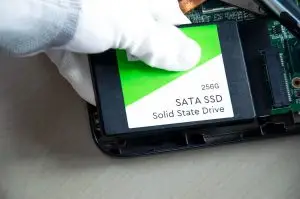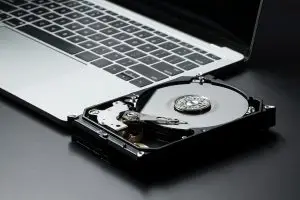

A RAID array or a NAS is designed to survive a drive failure, which is exactly why its failures catch people unprepared: the system that was supposed to protect the data is the thing that broke. The data is almost always still on the drives. Whether it comes back depends on what happens in the next hour, and the most damaging thing anyone can do is the thing the controller invites them to do, which is rebuild. This guide replaces our earlier RAID articles and covers the failures, the first steps, the myths, and what a lab does.
- Do not start a rebuild, re-create the array, import a foreign configuration, or initialize anything.
- Do not run CHKDSK, fsck, or a file system repair on a volume that just went missing.
- Do not pull drives from a running system. Power down cleanly first, then label every drive with its bay number and photograph the bays.
- Do not reset a NAS to factory settings to get it back online.
What each RAID level can and cannot survive
| Level | How it works | Survives | What a second failure means |
|---|---|---|---|
| RAID 0 | Data striped across drives, no redundancy | Nothing. One drive fails, the volume is gone | Every drive is needed for recovery; the failed one must be imaged |
| RAID 1 | Every drive is a full mirror | All but one drive | Both mirrors failing is two single-drive recoveries |
| RAID 5 | Striped with one parity block per stripe | One drive | Array offline. Recoverable by imaging all members if the second drive still reads |
| RAID 6 | Striped with two parity blocks | Two drives | A third failure takes it offline; same recovery approach |
| RAID 10 | Mirrored pairs, striped | One drive per pair | Both drives of one pair failing loses that stripe; recovery images the pair |
| Synology SHR, QNAP, TrueNAS | Software RAID with flexible layouts, sometimes ZFS | As the underlying level | Same recovery, plus the file system layer on top |
The failures we see, and what each means
| What happened | What it usually means | Risk if handled wrong |
|---|---|---|
| Array shows degraded | One member dropped. Volume still works | Medium. The next failure ends it. Back up before rebuilding |
| Array offline, two or more drives failed | Members dropped for errors; often most data is readable | High if a rebuild or re-create is attempted |
| Foreign configuration, or array missing after a reboot | Controller lost or rejected its metadata | High. Importing the wrong config overwrites the right one |
| Rebuild failed part way | A surviving drive has bad sectors | High. Repeated rebuild attempts damage the weak drive |
| Volume missing but drives look healthy | File system or LVM damage, or a firmware update | High if a repair or initialize prompt is accepted |
| NAS beeping, a drive clicking | Mechanical failure in one member | High. Power down; a clicking drive damages itself every minute |
| Ransomware note on the shares | Encryption at file level; drives and array are fine | Snapshots may survive if the NAS is not reset |
If the server itself is the thing that will not start, our guide on what to do when a server suddenly stops working covers the checks before you get to the array. If a single member drive is making noise, its sound is decoded in the hard drive failure symptoms guide.
What you can safely do
- Record everything. Photograph the front of the unit with bay numbers and drive lights, and write down every message from the controller or NAS interface, word for word.
- Export logs or a diagnostic report if the interface offers it without changing anything. On a NAS this is usually under support or system.
- Power down cleanly once you have the notes. Do not leave a degraded array running to see if it fixes itself.
- Label the drives with their bay numbers before removing any. Drive order is one of the parameters a recovery has to work out, and knowing it saves time.
- Check for a real backup. Not the array’s own snapshots, which live on the same drives, but a separate copy. If one exists and is current, the decision is easy.
The three myths that lose arrays
Rebuild will fix it
A rebuild reads every sector of every surviving drive to reconstruct the missing one. If one survivor has bad sectors, which is common when drives were bought and installed together, the rebuild fails, and many controllers then drop the second drive. The degraded array that was still serving data is now offline with two drives needing careful imaging instead of one.
Re-creating the array with the same drives is harmless
It looks like a menu option that puts things back. It writes new metadata and, on most controllers, starts a background initialization that zeroes parity or data. The old layout is still physically there for a while, but the map to it is gone and every hour overwrites more.
RAID is a backup
RAID keeps a system running through a drive failure. It does nothing for deleted files, ransomware, a bad firmware update, a failed controller, a rebuild gone wrong, or a re-created array. Almost every array in our lab belonged to someone who thought the array was their backup.
What a lab does with a failed array
- Every member drive is imaged individually on hardware that reads around bad sectors, so a weak drive is read once and never stressed again. Failed drives get their own repairs first, from board work to cleanroom head replacement.
- The array is rebuilt virtually from the images. Drive order, block size, parity rotation, start offset, and any missing member are worked out from the data itself, not from the controller’s memory.
- The file system on top, whether NTFS, ext4, Btrfs, ZFS, or a virtual machine store, is reconstructed from the virtual array and the files are extracted to new media.
- Your original drives are never written to. If the recovery succeeds, they are retired; if it does not, nothing was lost that was not already lost.
This is the process behind our RAID and server data recovery service. Most arrays that arrive without a rebuild or re-create attempt are recoverable. The ones that are not were usually rebuilt first.
After the recovery: keeping the next array healthy
- Replace every drive from the original batch, not only the one that failed. They aged together.
- Turn on the array’s scheduled scrub or consistency check and read the report, so weak sectors are found before a rebuild needs them.
- Watch SMART data on every member. A drive with growing reallocated sectors should be replaced during a quiet week, not after it fails.
- Keep the array cool and on a battery backup. Heat and sudden power loss are behind a large share of multi-drive failures.
- Back the array up somewhere else, and test a restore once a year. The array protects uptime. The backup protects data.
Frequently asked questions
My RAID 5 has two failed drives. Is the data gone?
Usually not. Drives are dropped from arrays for transient errors while most of their data is still readable. A lab images every member drive individually, then rebuilds the array virtually from the images, using the best copy of every block across all drives. The array is gone. The data usually is not.
Should I rebuild a degraded RAID array?
Only after the data on it is backed up. A rebuild reads every sector of every surviving drive, and drives bought together tend to age together. If a second drive has weak sectors, the rebuild fails and the array goes offline. If the data matters and there is no current backup, image first or send the drives in first.
Can you recover a Synology or QNAP NAS?
Yes. Underneath the interface, most Synology and QNAP units use standard Linux software RAID, LVM, and a Btrfs or ext4 file system. Synology’s SHR is the same technology with a flexible layout. The drives are imaged, the layout is reconstructed, and the volume is recovered. Bring the whole unit, with the drives in their bays.
What if I re-created the array by mistake?
Power off now. Re-creating writes new metadata and often starts a background initialization that overwrites the old parity or data. If it was stopped within minutes, most of the data usually survives. If it ran for hours, the damage grows with time. Either way, the sooner it stops, the more comes back.
Is RAID a backup?
No. RAID protects against one, or with RAID 6 two, drive failures without downtime. It does nothing against deleted files, ransomware, a failed controller, a bad rebuild, fire, theft, or the accidental re-create above. A backup is a second copy somewhere else. Every RAID array we recover belonged to someone who thought the array was the backup.
How long does RAID data recovery take?
We evaluate within 48 hours of receiving the drives and send a written quote. Most standard recoveries are completed in 10 to 12 business days after approval, and faster options are available for an added fee. Large arrays take longer because every drive is imaged in full before reconstruction starts.
Array degraded, offline, or missing?
Power down, label the drives, and talk to us before anyone starts a rebuild. Free evaluation of all member drives, written quote, no data no fee.
RAID & Server RecoveryContact UsInstant AI Evaluation