
Mac data recovery has a reputation for being impossible, and there is a reason for it: since 2016 Apple has soldered the storage to the logic board, and since 2018 it has encrypted that storage with keys that never leave the machine. Those two design choices are why a dead Mac cannot be handled like a dead PC. They do not make recovery impossible. They change the route. This guide explains what is possible for each generation of Mac, what to do first, and what to say when the Apple Store quotes a new logic board.
Why Macs are different
- Soldered storage. On most MacBooks from 2016 onward and all Apple silicon Macs, the flash memory is soldered to the logic board. There is no drive to remove.
- Hardware encryption. T2 Macs from 2018 to 2020 and every M1, M2, M3, and M4 Mac encrypt the storage with keys held in the Secure Enclave on the board. Reading the memory chips directly gives you ciphertext.
- FileVault. When turned on, your password is added to the encryption. Without it, the data is unreadable by anyone.
- APFS. Apple’s file system keeps snapshots and clones that help recovery, but its metadata is dense, and repeated repair attempts damage it.
What is possible, by Mac generation
| Mac | Storage | Encryption | Recovery route |
|---|---|---|---|
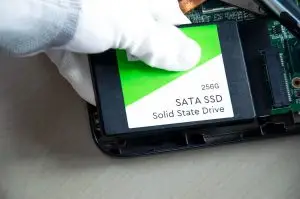
| MacBook Pro and Air, 2012 to 2015; iMac and Mac mini of that era | Removable blade SSD with a proprietary connector, or a SATA drive | None unless FileVault is on | Storage removed and read with an adapter. Standard drive recovery, high odds |
| iMac with Fusion Drive, 2012 to 2019 | A hard drive plus a small SSD acting as one volume | None unless FileVault is on | Both parts imaged and the volume reassembled. Bring both |
| MacBook Pro 2016 to 2017 | Soldered flash, no T2 | None unless FileVault is on | Chip-level read or a board repair. Some models have a data recovery port used by Apple’s own tool |
| T2 Macs, 2018 to 2020 | Soldered flash | Always encrypted by the T2 chip | The board must run. Board repair, then the data is read while the Mac is booted to recovery or shared over Target Disk or Share Disk |
| Apple silicon, M1 onward | Soldered flash | Always encrypted by the Secure Enclave | Same as T2: the board must run. Chip-off does not help |
The dead MacBook with soldered, encrypted storage
This is the case people assume is hopeless, and it is the one where the order of operations matters most. The data can only be read by the board it was written on, so the job is to get that board to power on and boot far enough to unlock the storage. Liquid damage, a failed power circuit, or a shorted component on the board is repaired at component level. Once the Mac boots to recovery or can share its disk, the data is copied off with your password. If the board is beyond repair, and specifically if the Secure Enclave or the flash itself is destroyed, the data is gone. That is the honest limit.
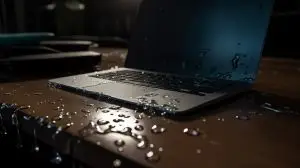
Liquid is the most common cause we see on MacBooks, and what happens in the first hour matters. Our guide to recovering data from a water-damaged laptop covers it, and the rules for Macs are the same: power off, no rice, no heat, no powering on to check.
What to say at the Apple Store
Apple’s repair options for a dead Mac are a logic board replacement or a whole-unit exchange. Both destroy the data. If you have been quoted a repair and the data matters, say so before authorizing, and either send the Mac for data recovery first or ask that the original board be returned to you. A returned board can still be worked on. A recycled one cannot.
Software-level problems on a working Mac
- The disk cannot be repaired, or First Aid fails. Stop running it. Each pass on a damaged APFS volume rewrites metadata. Power off and have the storage imaged; damaged APFS is a routine recovery when nothing has been written since.
- Deleted files. Check the Trash and any APFS snapshots first. Beyond that, the SSD’s TRIM feature erases deleted data within hours, and the odds are the same as on any SSD.
- A failed macOS update or a Mac stuck at the Apple logo. The data is usually untouched. Do not reinstall macOS with the erase option; reinstall over the top, or have the data copied off first.
- Time Machine backup will not open. The backup drive is imaged and the sparse bundle or snapshot chain is rebuilt. Most versions survive.
- Your login password, or the FileVault recovery key, for any Mac made after 2017 or with FileVault on. Without it, the data cannot be read by anyone.
- The power adapter, and for iMacs with Fusion Drives, both drives or the whole machine.
- If Apple already replaced the board, the old board. Ask for it.
Frequently asked questions
Can data be recovered from a MacBook that will not turn on?
In most cases, yes, but the route depends on the model. MacBooks made before about 2016 have removable storage that can be read directly. Newer MacBooks with soldered, encrypted storage need the logic board repaired enough to read the data, because the encryption keys live on that board. The free evaluation tells you which case yours is.
Does Apple recover data from a dead Mac?
No. Apple Stores and authorized service providers repair or replace the logic board, and a replacement board means the data on the old one is gone. If a repair is quoted, ask them to return the old board or send the machine for data recovery first.
Do you need my password to recover a Mac?
For a Mac with FileVault turned on, or any T2 or Apple silicon Mac, yes. The data is encrypted with keys tied to your password and the board. Without the password or the recovery key, nobody can read it, including us and Apple. Keep it somewhere safe before anything goes wrong.
My Mac says the disk cannot be repaired. What now?
Stop running First Aid. Repeated repair attempts on a damaged APFS volume make the structures harder to recover. Power the Mac off and get the storage imaged. APFS volumes with damaged metadata are a routine recovery when nothing has been written since.
Can you recover from a Fusion Drive iMac?
Yes, and both parts are needed. A Fusion Drive is a hard drive and a small SSD acting as one volume, with data spread across both. Bring the whole iMac or both drives together. Recovery from only one of the two is partial at best.
My Time Machine backup is corrupted. Can it be recovered?
Usually. Time Machine stores backups as a sparse bundle or an APFS snapshot chain, and corruption in the index or a few bands leaves most of the versions intact. The backup drive is imaged and the bundle is rebuilt from the image.
Mac dead, wet, or refusing to boot?
Removable, soldered, T2, or Apple silicon: we have a route for each. Free evaluation in our own BC lab, written quote, no data no fee.
SSD RecoveryWater Damage RecoveryContact Us