
A lot of the people who bring us a failed drive did have a backup plan. Usually it was an external drive that sat next to the computer, or a copy they meant to update and hadn’t touched in months. When the main drive died, the backup was either on the same desk, just as old, or already failing itself.
We recover drives for a living, and we’re good at it. But recovery takes days and costs far more than a backup ever would. An online backup that runs on its own is the quietest way to make sure a dead drive becomes a minor annoyance instead of an emergency.
Why an external drive isn’t enough on its own
An external drive is better than nothing, and you should keep one. It just has a few weak spots that are easy to miss:
- It lives in the same place as your computer. A power surge, a spilled drink or a move can take out both at once.
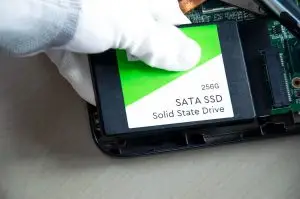
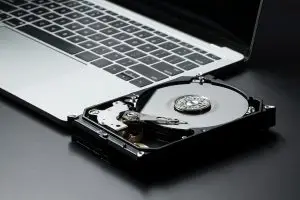
- It’s a hard drive too. External drives wear out like any other, often in the same few years as the computer they back up. Our guides to hard drive noises and signs an SSD is failing cover what that looks like.
- It only works if you remember to plug it in. Most backup drives we see were last updated months before the main drive failed.
- It usually keeps only the latest copy. If a file gets damaged and then backed up, the good version is gone from the backup too.
What online backup does differently
| External drive | Online backup | |
|---|---|---|
| Runs on its own | Only when you plug it in | Every night, automatically |
| Survives damage at home | No, it sits beside the computer | Yes, it’s stored off-site |
| Earlier versions of files | Usually not | Yes, so you can go back to an earlier day |
| Tells you when it stops | No | Yes, a good service emails you |
| Cost | The price of the drive | A few dollars a month |
The big difference is that nobody has to remember anything. Backup happens while you sleep, and if it stops for any reason, you find out.
What to look for in an online backup service
- Where your files are stored. If you’d rather your data stayed in Canada, check before you sign up. We explain why it matters in why keeping your data in Canada matters.
- Encryption before upload. Your files should be encrypted on your own computer before they leave it, and stay encrypted while they travel and while they’re stored.
- Version history. Being able to restore a file as it was last week is often what saves you.
- Alerts. You want an email if a computer stops backing up, before it matters.
- Simple pricing. A clear monthly price in Canadian dollars, with no jump after the first year.
- Help when you need it. When it’s time to restore, it helps to have real people to call.
Meet TeraDrive Protect
After years of seeing what happens without a backup, we built the service we wish our customers had used. TeraDrive Protect is automatic online backup for Windows and Mac, run by the same Langley team that recovers dead drives.
- Backs up the folders you choose every night, with a “Back up now” button whenever you want one.
- Only uploads what changed, so nightly backups are quick and quiet.
- Encrypts your files on your computer before upload, and keeps them encrypted in transit and at rest.
- Stores your backups in Canada.
- Keeps 30 days of earlier versions, so you can restore a file as it was on any day last month.
- Covers all your computers on one plan, sharing the storage.
- Emails you if a computer hasn’t backed up for a week.
- Lets you restore from the app, onto a new computer, or one file at a time from the website.
Plans are billed monthly in Canadian dollars, and you can cancel any time:
| Plan | Storage | Per month | |
|---|---|---|---|
| Starter | 50 GB | $5 | Free 30-day trial |
| Basic | 100 GB | $7 | Free 30-day trial |
| Plus | 250 GB | $8 | Free 30-day trial |
| Pro | 1 TB | $15 | |
| Power | 2 TB | $25 | |
| Max | 4 TB | $50 |
Starter, Basic and Plus come with a free 30-day trial, and you don’t need a credit card to start. Most home computers fit in 250 GB, so Plus suits most households.
The safest setup is two copies in two places: one at home for speed, one online in case the home copy is lost. Our guide to the 3-2-1 backup rule walks through it, and avoiding data loss on a home laptop covers the everyday habits.
Frequently asked questions
Is online backup safe?
A good service encrypts your files on your computer before they’re uploaded, keeps them encrypted while they travel and while they’re stored, and lets you choose where they live. TeraDrive Protect does all of that and keeps your backups in Canada.
Doesn’t the folder sync that came with my computer already do this?
Not quite. Sync keeps the same files on all your devices, so when a file is deleted or damaged on one, that change copies everywhere. Backup keeps separate copies and earlier versions, so you can go back to how a file was before something went wrong.
How much backup storage do I need?
Most home computers fit in 250 GB. If you keep years of photos or home videos, plan on 1 TB or more. With TeraDrive Protect you can change plans whenever you like.
Will online backup slow my computer down?
The first backup of a large folder can take several hours, because everything has to upload once. After that, only the files that changed are sent each night, which usually takes minutes.
Should I still keep my external drive?
Yes. A copy at home is the fastest way to get files back, and an online copy covers you when the home copy fails or the computer and drive are damaged together. Two copies in two places is the whole idea.
Set it up today and stop thinking about it
Two minutes to sign up, a few clicks to pick your folders, and tonight your computer is backed up. Plans start at $5 a month.
See plans and featuresStart a free trial