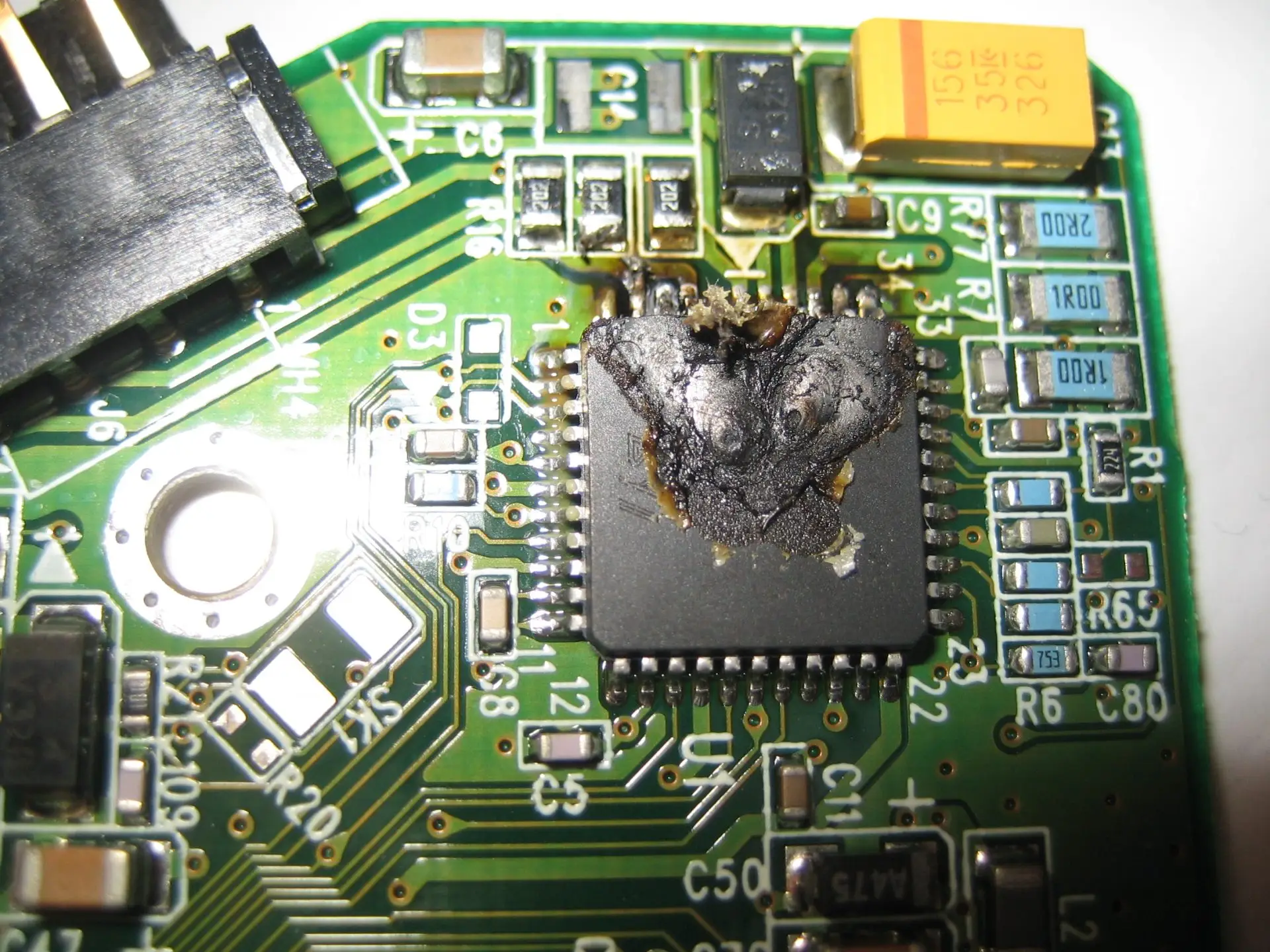
A burnt hard drive is one of the more dramatic-looking failures and one of the more recoverable ones. The scorch mark, the smell, the drive that is suddenly and completely silent: all of that points to the circuit board on the underside, and the circuit board is the one part of a hard drive that can be repaired or replaced without opening the sealed chamber. This guide explains what burns, why the obvious fix does not work, and how the data comes back.
How to recognise a burnt drive
- The drive is completely dead. No spin-up vibration, no sound, no detection.
- A burnt smell from the drive or the enclosure, sometimes faint.
- A visible scorch mark, a cracked component, or a tiny crater on the green circuit board, usually near the power connector.
- It failed at a specific moment: a storm, a power outage and restore, plugging in a charger, moving the drive to a new dock.
- On an external drive, the light does not come on, or comes on with a different adapter than the one that was in use.
If instead the drive spins and then clicks, beeps, or grinds, the board is probably fine and the failure is mechanical. Match the sound in our hard drive failure symptoms guide.
What actually burns
The printed circuit board holds the motor controller, the interface chip, and the power regulation. Between the power connector and everything else sits a small protection component called a TVS diode. Its job is to absorb a surge and fail short, which cuts power to the board and saves the rest of the drive. When a TVS diode has done its job, the drive looks dead but nothing valuable is damaged, and the repair is minutes of bench work.
A bigger surge or a sustained wrong voltage gets past the diode and burns the motor controller or the main chip. Those boards are replaced rather than repaired. And in the worst case, the surge travels up the flexible cable into the drive and burns the preamplifier chip on the head stack. That one requires opening the drive in a cleanroom and replacing the heads.
Why swapping the board does not work
Every hard drive made since roughly 2007 stores calibration data unique to that exact drive on a ROM chip on its board: head maps, adaptive parameters, and defect tables. Move the board to a different drive and the firmware tries to drive the wrong heads with the wrong settings. At best the drive spins and is not detected. At worst the heads are driven into the platter. The working repair is a donor board with your drive’s ROM chip transferred onto it, or the ROM contents read and written into the donor. That is what a lab does. It is not a home procedure.
What to do right now
- Unplug the drive and leave it unplugged. Do not try a second adapter, a second dock, or a second cable to see if it comes to life.
- Keep the original adapter and cable together with the drive. They help us find the fault.
- If the drive was in a computer during a surge, assume the power supply may also be damaged and do not put a replacement drive in until it is checked.
- Do not open the drive, and do not order a matching board online.
What the lab does
| Damage | Repair | Typical odds |
|---|---|---|
| TVS diode failed short | Diode removed or replaced, board tested on a current-limited supply | 90 to 95% |
| Motor controller or main chip burnt | Donor board with your drive’s ROM transferred | 90 to 95% |
| Preamplifier on the head stack burnt | Head stack replacement in the cleanroom, then imaging | Lower, and depends on the platters |
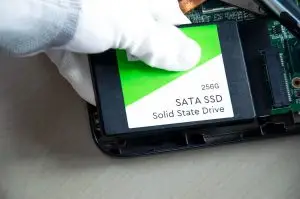
| Burnt SSD | Power circuit or controller repair, or chip-level NAND read | Case by case |
Once the drive runs, it is imaged immediately on a hardware imager with current limiting, so a hidden second fault cannot cause a second burn. Files are extracted from the image. The full service is described on our hard drive data recovery page.
Preventing the next one
- Use a surge protector with a proper joule rating, and replace it after a big storm. They wear out silently.
- Match adapters to drives. A 19 volt laptop adapter fits some external drive sockets and destroys them.
- Unplug external drives when they are not in use, especially during storms.
- Keep a second copy of anything important. A burnt drive is recoverable, but a backup is free.
Frequently asked questions
Can data be recovered from a burnt hard drive?
Usually, yes. When the damage stopped at the circuit board, which is the common case after a power surge, our typical recovery odds are 90 to 95 percent. The board is repaired or replaced with the drive’s own firmware transferred, and the platters inside are untouched. Odds drop when the surge reached the preamplifier on the head stack inside the drive, which is why we never apply power to a burnt drive before testing.
Can I swap the circuit board with one from an identical drive?
Not on any drive made in the last fifteen years or so. Each board carries a ROM chip with calibration data unique to that specific drive, its heads, and its platters. A board from an identical model will spin the drive up but cannot read it, and can damage the heads while trying. The board swap only works when the ROM is moved to the donor board, which is lab work.
How do I know if it is the PCB or something inside?
A burnt PCB drive is usually completely silent: no spin, no click, sometimes a burnt smell or a visible scorched component near the power connector. If the drive spins up and then clicks or beeps, the problem is inside, not on the board. Our hard drive failure symptoms guide covers each sound.
Is a burnt SSD recoverable?
Often. SSDs have no moving parts, so a surge damages the power circuitry or the controller while the NAND memory chips usually survive. Recovery is either a board-level repair to get the controller running or a chip-level read of the NAND with the controller emulated in software.
What causes a hard drive to burn out?
Power surges from storms and grid faults, a failing power supply, the wrong adapter on an external drive, reversed polarity on a dock or enclosure, and static discharge. On external drives, a mismatched adapter is the single most common cause we see.
Burnt or dead after a surge?
Leave it unplugged and bring it in with its adapter. Board repair and ROM transfer are routine work in our Langley lab. Free evaluation, no data no fee.
Hard Drive RecoveryContact UsInstant AI Evaluation