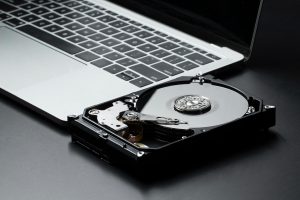
Plugging in a USB drive, hoping to access an old folder, only to realise the files are missing or the drive won’t open at all. It’s a situation many people know too well. Whether it holds family pictures, a final school paper, or important work files, your first thought might be, “I’ll fix this myself.” And with countless online forums and videos offering quick tricks, it’s easy to get lured into trying something—anything.
The problem is that these do-it-yourself efforts can go very wrong, very fast. What starts as a harmless attempt to get your files back could lead to permanent loss. From using the wrong software to following online myths, DIY methods often make the problem worse. Before deciding to be your own data recovery expert, it helps to understand what’s really at stake.
Common DIY Data Recovery Mistakes
When a USB drive stops working, the first instinct is usually to search for solutions online. There’s no shortage of advice forums promising easy fixes, but many of those so-called solutions end up making things worse.
Here are a few of the most common mistakes people make when tackling data recovery on their own:
1. Using random recovery software – Not all recovery tools are safe or compatible with your specific issue. Downloading the first program you find can backfire. Some tools scan in ways that overwrite data, corrupt files, or even cause your device to crash.
2. Opening the USB drive casing – Flash drives are not designed to be opened by untrained hands. Inside are tiny components sensitive to dust, moisture, and static. Handling them without proper tools and knowledge can easily damage delicate circuits or break the board.
3. Using outdated internet myths – Despite years of debunking, some still recommend putting a faulty USB in the freezer. This is more likely to cause internal condensation or damage from extreme temperatures than to help recovery.
These are the kinds of steps taken when panic sets in or when someone doesn’t want to wait for professional help. A quick reaction can turn a minor issue into a major one.
Someone once tried using free software to fix a USB packed with family vacation photos. At first, the tool showed promise. But midway through recovery, their computer froze. After rebooting, the folder names were scrambled, and many of the pictures wouldn’t open. What could have been saved was partially overwritten by the wrong tool, making full recovery impossible.
How DIY Attempts Can Make Things Worse
Solving tech problems on your own might feel faster and cheaper, but when it comes to data recovery, it’s often the opposite. Fixing a USB drive without proper skills can lead to more harm than good.
Here are some ways DIY fixes actually make things worse:
– Physical damage while handling – USB drives may look simple, but inside they’re built with tiny and fragile parts. Slipping with a screwdriver can break a connector or scratch the memory chips.
– Overwriting your own data – Some recovery software automatically saves updates onto the drive that’s being recovered. That often means writing over your lost information and destroying your chance at recovering it.
– Exposure to static or shock – Electronics can be damaged even by small static charges from your hands. And most people don’t have anti-static setups at home. Opening a device without proper grounding can short a chip or break communication lines.
When a USB starts having issues, it stops being a reliable storage tool and becomes a delicate container for your data. Mishandling it can push it past the point where even professionals can help.
If your first instinct is to try fixing it yourself, pause. Sometimes doing nothing is better. Letting someone with the right tools step in early gives you a better shot at saving what matters.
The Benefits of Professional Data Recovery Services
Fixing a broken USB drive at home might seem like the cheapest option, but it’s often more trouble than it’s worth. Professional services aren’t just throwing guesses at the issue. They assess, diagnose, and treat data loss with care, using tested techniques.
First, they examine the drive without making changes to it. Based on how the device responds, specialists use software and hardware tools that interact safely with the drive. The goal is to extract data while protecting its current state.
Professionals also work in settings built for recovery. Many providers have cleanroom spaces that help eliminate dust, static, and moisture from interfering during the process. If a drive needs to be opened, doing so in this kind of controlled space helps prevent dozens of hidden risks.
We’ve seen many users bring in drives they tried repairing themselves. One person soldered wires back on after a USB connector got bent. What looked like a straightforward job ended up destroying the board due to heat damage. Specialists are better equipped to get into the device with precision, using techniques that avoid further damage and improve the odds of success.
Safer Alternatives to DIY Data Recovery
Data loss often brings on a wave of panic. But trying your own fixes without understanding the risk can make things worse. Instead, take simple steps to protect the device while a professional checks it.
Here’s what to do:
– Stop using the drive immediately. Every new attempt to read or save files can push it closer to failure.
– Label it as “do not use.” This helps prevent someone else from plugging it into a computer or formatting it without realising what’s at stake.
– Skip the software download. Many free programs can do more harm than good, especially when run without knowing exactly what’s wrong.
– Keep the drive somewhere safe. Avoid exposure to heat, cold, or humid places. Store it in a dry, cool spot until it can be reviewed.
– Use hard protective cases for storage. These help prevent physical damage when not in use.
Also, backing up your data should become a habit, not a last resort. Storing extra copies on another device or cloud service saves stress down the line. And always safely eject your USB after use. It’s a simple step that helps protect the drive.
When It’s Time to Let Go of a DIY Fix
Losing data can be stressful, especially when it hits out of the blue. But the best thing to do when something goes wrong is not to act right away. Pausing before doing anything gives you a better shot at recovery, especially when professionals are brought in early.
Whether the USB is unreadable, making strange noises, or just won’t show up, experts are trained for this. They know what’s safe to try and what actions to avoid. Often, the sooner they can take a look, the better your chances will be.
After your data is recovered, improving your storage habits goes a long way. Stick to regular backups and treat your USBs with careful handling. Next time you run into trouble, you’ll know not to panic. Just take a breath and call someone who works with these issues every day.
If you’re dealing with lost files or unreadable flash storage, our team at TeraDrive can help uncover what’s missing. Learn how our experts handle fast, secure data recovery from USB devices to get you back on track with confidence.